
Screenshots
Feature graphic
About this app
# Remote for Fujitsu AC – Smart AC Remote Control
Turn your Android phone into a convenient **AC remote control** with **Remote for Fujitsu AC**. Control your compatible air conditioner with a simple, clean, and easy-to-use interface.
Whether you've misplaced your original remote or simply want a convenient remote on your phone, this app gives you quick access to essential AC controls.
## ❄️ Easy AC Control
Control your compatible Fujitsu air conditioner directly from your smartphone. Quickly adjust settings and manage your AC without searching for the physical remote.
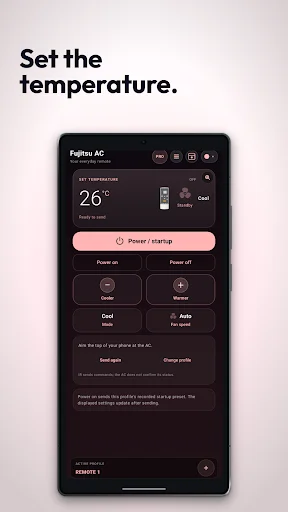
### 🌡️ Temperature Control
Easily increase or decrease the temperature using simple controls designed for quick access.
### ❄️ Cooling & AC Modes
Switch between the available operating modes supported by your AC and choose the setting that works best for your environment.
### 💨 Fan Speed Control
Adjust the fan speed according to your preference for comfortable airflow.
### 🔄 Simple Remote Interface
A familiar remote-style interface makes it easy to find and use the controls you need.
### ⚡ Quick & Convenient
Keep your AC remote with you wherever you go. Open the app and access your commonly used controls in seconds.
### 📱 Designed for Android
Built with a simple mobile-friendly interface that is easy to understand and operate.
## ⭐ Why Use Remote for Fujitsu AC?
✔ Simple and easy-to-use interface
✔ Convenient AC remote replacement
✔ Temperature control
✔ Fan speed control
✔ AC mode controls
✔ Remote-style buttons
✔ Fast access to essential functions
✔ Lightweight and straightforward
✔ Useful when your original remote is unavailable
## 📲 How It Works
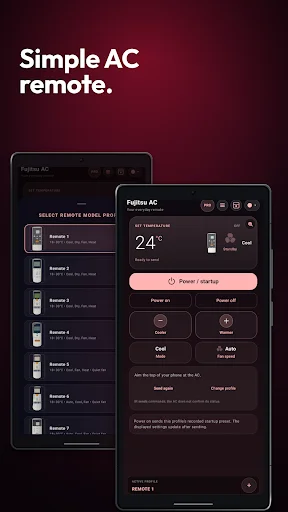
1. Open **Remote for Fujitsu AC**
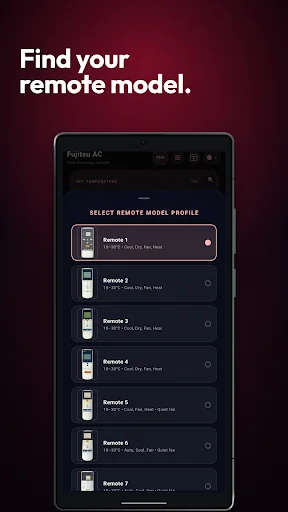
2. Select the appropriate remote/control option
3. Point your phone toward the AC
4. Tap the desired control
5. Enjoy convenient AC control from your smartphone
**Note:** Your Android phone must have a compatible **IR (infrared) blaster** for infrared remote functionality. Compatibility may vary depending on your phone and air conditioner model.
### ⚠️ Disclaimer
Remote for Fujitsu AC is an independent third-party remote control application. It is **not affiliated with, endorsed by, sponsored by, or officially associated with Fujitsu**. Fujitsu is a trademark of its respective owner.
AC functionality and compatibility may vary depending on the **AC model and Android device**.