
Screenshots
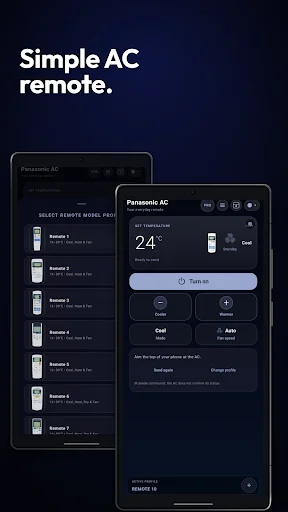
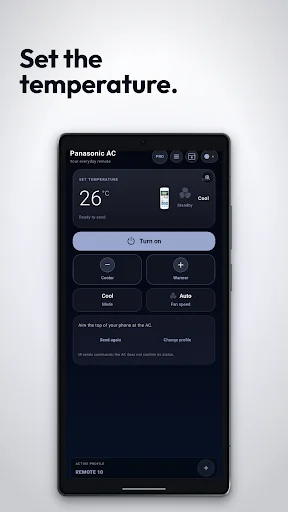
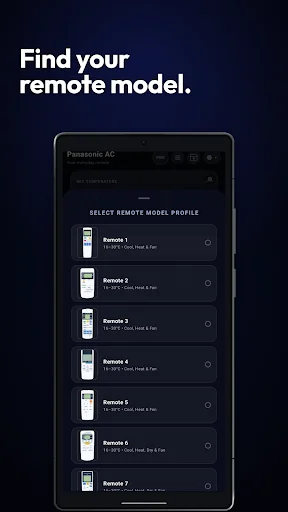
Feature graphic
About this app
# Remote for Panasonic AC – Smart IR Remote for Panasonic Air Conditioners
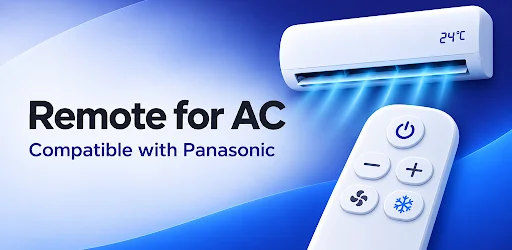
Turn your Android phone into a convenient **Panasonic AC remote control** and control compatible Panasonic air conditioners directly from your smartphone.
**Remote for Panasonic AC** is a simple, fast, and easy-to-use IR remote app designed for compatible Panasonic Air Conditioner models. If your Android device has a built-in **Infrared (IR) Blaster**, you can send remote commands directly to your AC without Wi-Fi, Bluetooth pairing, or additional hardware.
Simply open the app, select a compatible remote, point your phone toward your Panasonic AC, and start controlling your air conditioner.
## Key Features
✅ **Power ON/OFF Control**
Turn your compatible Panasonic AC on or off with a single tap.
✅ **Temperature Control**
Increase or decrease the AC temperature using simple and responsive controls.
✅ **Fan Speed Control**
Adjust the fan speed according to your cooling and comfort needs.
✅ **Multiple AC Modes**
Switch between supported AC modes, including:
* Cool Mode
* Fan Mode
* Dry Mode
* Auto Mode
Available modes may vary depending on your Panasonic AC model.
✅ **Swing Control**
Control supported swing and airflow functions for better air distribution.
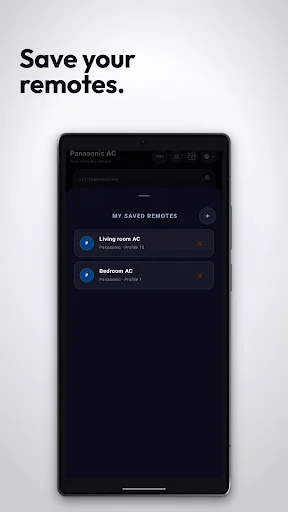
✅ **Multiple Remote Options**
Try available Panasonic AC remote profiles to find a compatible remote for your air conditioner.
✅ **Simple Remote Interface**
Clean and intuitive remote control design for quick access to common AC functions.
✅ **Fast IR Transmission**
Send infrared commands directly using your phone's built-in IR blaster.
✅ **Lightweight and Efficient**
Designed for smooth performance and easy everyday AC control.
## Why Choose Remote for Panasonic AC?
* Use your Android phone as a Panasonic AC remote
* No Wi-Fi required for IR remote functions
* No Bluetooth pairing required
* Easy setup and instant usage
* Multiple remote profiles
* Fast infrared command transmission
* Simple and user-friendly design
* Lightweight AC remote app
* Free to use
## How to Use
1. Make sure your Android phone has a built-in IR Blaster.
2. Open Remote for Panasonic AC.
3. Select or test an available Panasonic AC remote.
4. Point your phone toward the air conditioner.
5. Press the Power button and check if your AC responds.
6. Use temperature, fan, mode, and swing controls.
## Device Requirements
Your Android device must have a **built-in Infrared (IR) Blaster**.
Devices without IR hardware cannot transmit remote commands to air conditioners. This app cannot add infrared functionality to devices without an IR blaster.
## Panasonic AC Compatibility
Remote for Panasonic AC is designed for a range of compatible Panasonic Air Conditioner models using infrared remote control.
Compatibility may vary depending on your Panasonic AC model, original remote type, infrared protocol, and smartphone IR hardware.
If one remote does not work, try another available remote profile in the app.
## Replacement Remote for Panasonic AC
Lost your Panasonic AC remote? Is your original AC remote damaged or unavailable?
Remote for Panasonic AC may help you control a compatible Panasonic air conditioner using an Android phone with an IR blaster. Use the app as a convenient digital or backup AC remote.
## Disclaimer
Remote for Panasonic AC is an independent third-party remote control application and is not affiliated with, endorsed by, sponsored by, or officially associated with Panasonic or any of its subsidiaries or affiliates.
All company names, product names, trademarks, and registered trademarks belong to their respective owners. Brand names are used only for compatibility, reference, and identification purposes.
Download **Remote for Panasonic AC** and use your compatible Android smartphone as a simple, fast, and convenient **Panasonic AC remote control**.