
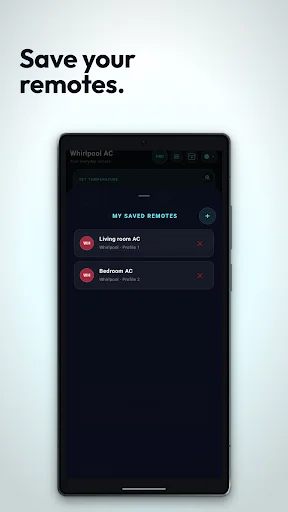
Screenshots
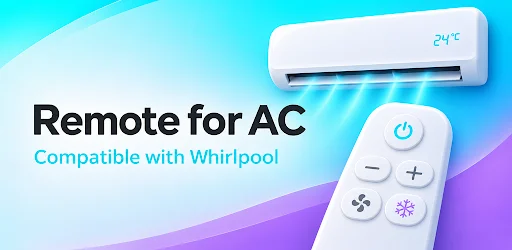
Feature graphic
About this app
Remote for Whirlpool AC by Galaxy – IR Remote for Compatible Whirlpool Air Conditioners
Remote for Whirlpool AC by Galaxy lets you control compatible Whirlpool air conditioners using your Android phone's built-in infrared (IR) blaster. Replace a lost or damaged remote and access essential AC controls directly from your smartphone.
No Wi-Fi, Bluetooth, or additional hardware is required. Simply point your phone toward your air conditioner and send commands instantly.
Features
✓ Power On / Off
Turn your compatible Whirlpool air conditioner on or off with a single tap.
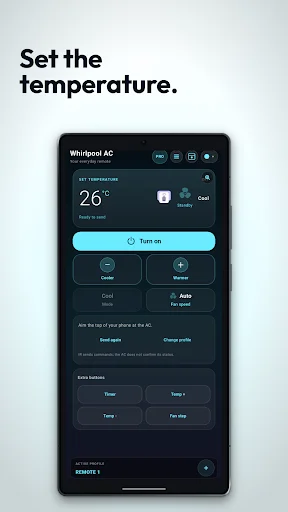
✓ Temperature Control
Increase or decrease the temperature quickly and easily for your preferred comfort.
✓ Fan Speed Control
Adjust fan speed with simple and responsive controls.
✓ AC Modes
Switch between available operating modes, including:
Cool
Fan
Dry
Auto
Heat* (on supported models)
✓ Swing Control
Control airflow direction where supported by your AC model.
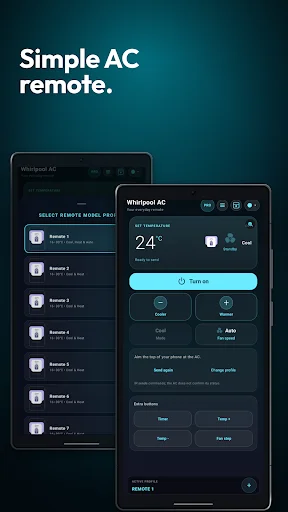
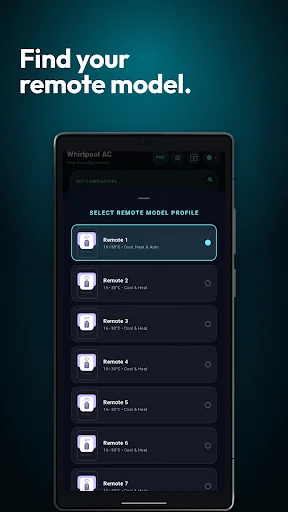
✓ Multiple Remote Profiles
Try different remote profiles to find the one that works best with your compatible Whirlpool air conditioner.
✓ Fast IR Transmission
Send commands instantly using your phone's built-in infrared (IR) blaster.
✓ Clean & Simple Interface
A modern and intuitive remote layout designed for quick access to common controls.
✓ Lightweight & Fast
Optimized for smooth performance with a small app size.
Why Choose Remote for Whirlpool AC by Galaxy?
Easy setup
No internet required for remote control
No account registration
Lightweight and responsive
Useful replacement or backup remote
Optimized for Android devices with an IR blaster
How to Use
Open the app.
Select a remote profile.
Point your phone toward your compatible Whirlpool air conditioner.
Test the Power button.
If needed, try another available profile until you find one that works.
Requirements
Your Android device must include a built-in infrared (IR) blaster.
Devices without IR hardware cannot transmit remote commands.
Compatibility
Remote for Whirlpool AC by Galaxy includes remote profiles for many compatible Whirlpool air conditioner models.
Compatibility depends on your AC model and your Android device's IR hardware. If one remote profile does not work, simply try another available profile.
Privacy
No account registration or sign-in is required to use the app's remote control features.
Disclaimer
Remote for Whirlpool AC by Galaxy is an independent third-party utility application.
It is not affiliated with, endorsed by, sponsored by, or approved by Whirlpool Corporation or its affiliates.
"Whirlpool" and related trademarks are the property of their respective owners and are used solely to identify compatibility with supported air conditioner models.
What's New
Updated app icon and default theme.
Removed in-app purchases.