
CleanOrbit
A cleaner Mac for a brighter You. Reclaim gigabytes of storage with intelligent scanning, deep treemap visualization, and specialized Dev Bloat filters.
Version 1.1.0 • Universal Binary (Intel/Apple Silicon) • macOS 12.0+
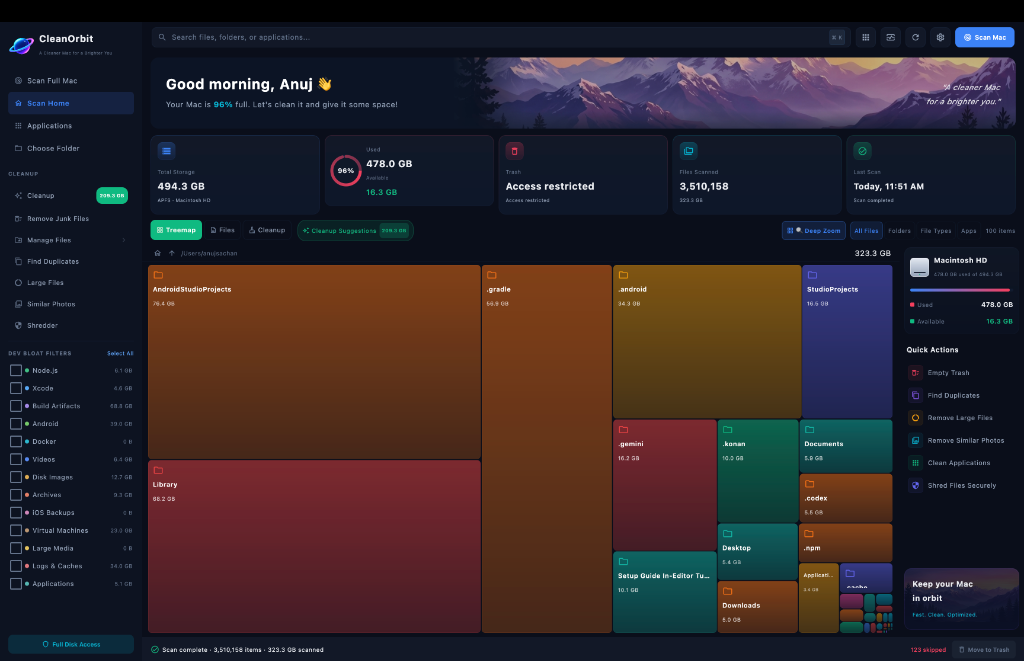
Everything you need.
Powerful features designed to make Mac disk management simple, fast, and secure.
Blazing Fast
Native Apple Silicon support. Scans your entire drive or targeted folders in seconds.
App Uninstaller
Remove apps and their hidden leftover files, containers, and caches completely.
Privacy First
100% local processing. Your file names and folder structures never leave your Mac.
Cleanup Leftovers
Detect and remove orphaned Application Support files from apps you deleted years ago.
Deep Treemap Visualization
Stop guessing what's eating your disk space. CleanOrbit's lightning-fast scanning engine crawls your entire drive in seconds, presenting a beautiful, interactive treemap of your storage.
- Spot Large Files Instantly: The biggest blocks represent the largest folders.
- Hidden Storage Revealed: Finds caches, logs, and system data you didn't know existed.
- Deep Zoom: Click into any block to drill down into nested directories.

Developer Bloat Filters & Cleanup
Designed specifically for software engineers. Development environments leave behind massive amounts of cache, build artifacts, and dependencies. CleanOrbit targets these specifically.
- Node.js (node_modules): Finds orphaned projects and clears out heavy dependencies.
- Xcode & Android Studio: Cleans derived data, iOS backups, and Android emulators.
- Docker & Virtual Machines: Reclaim space from old disk images and containers.
- Smart File Manager: Review and securely shred junk files with confidence.
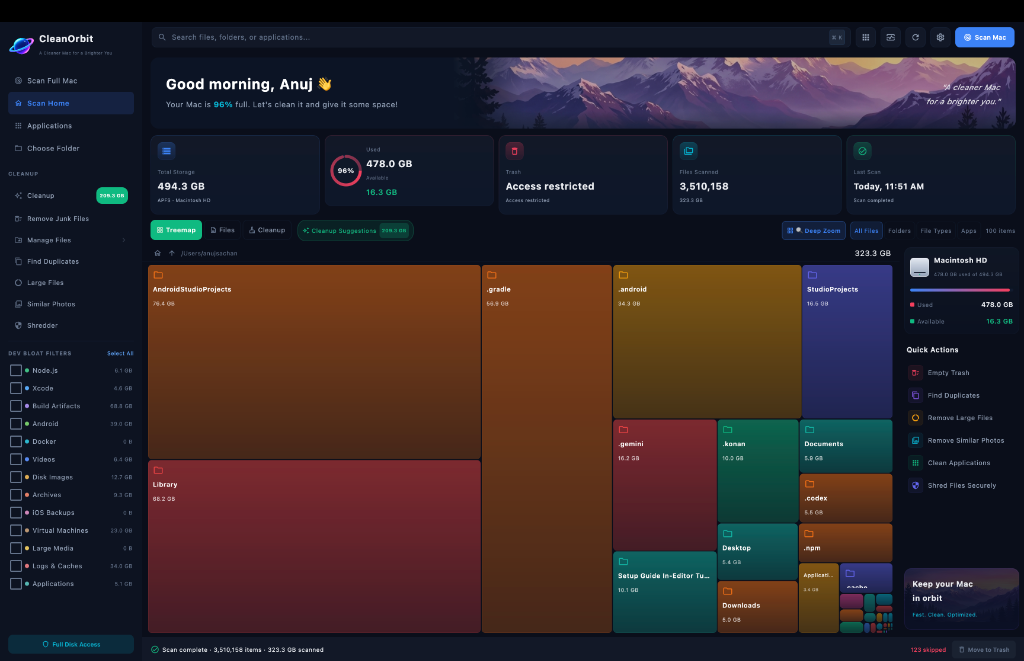
Targeted Folder Scanning
Don't want to scan your entire Mac? Select specific directories—like your Home folder, Documents, or external drives—to instantly visualize their contents.
- Home Directory Focus: See exactly what's hiding in your personal folders and Downloads.
- External Drive Support: Plug in an external SSD or HDD and scan it instantly.
- Custom Pathways: Point CleanOrbit at any folder for a rapid, targeted breakdown.
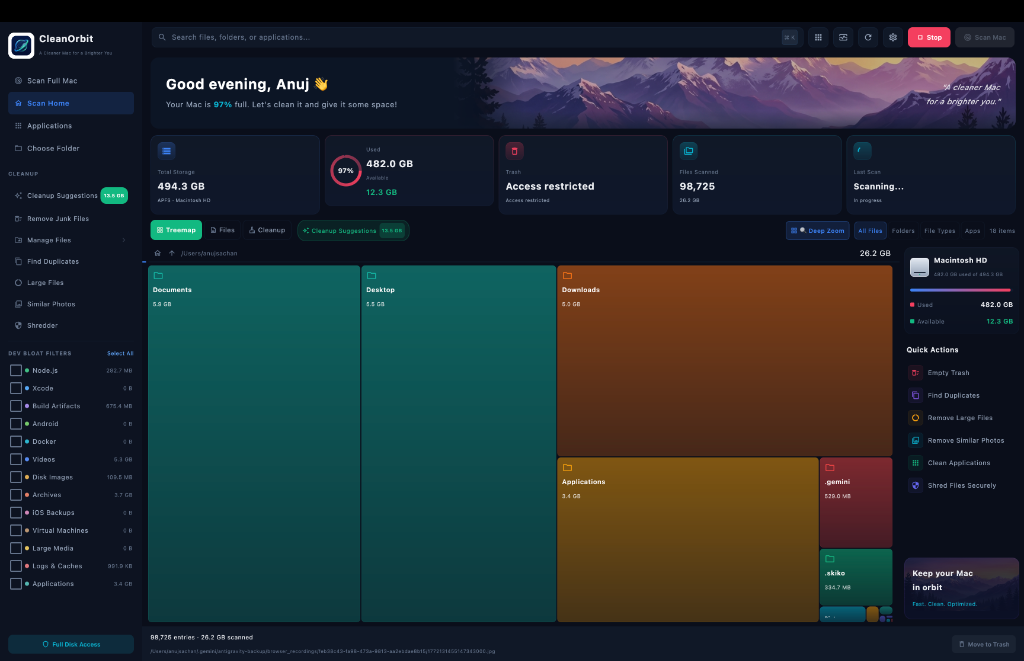
Immersive Deep Zoom Navigation
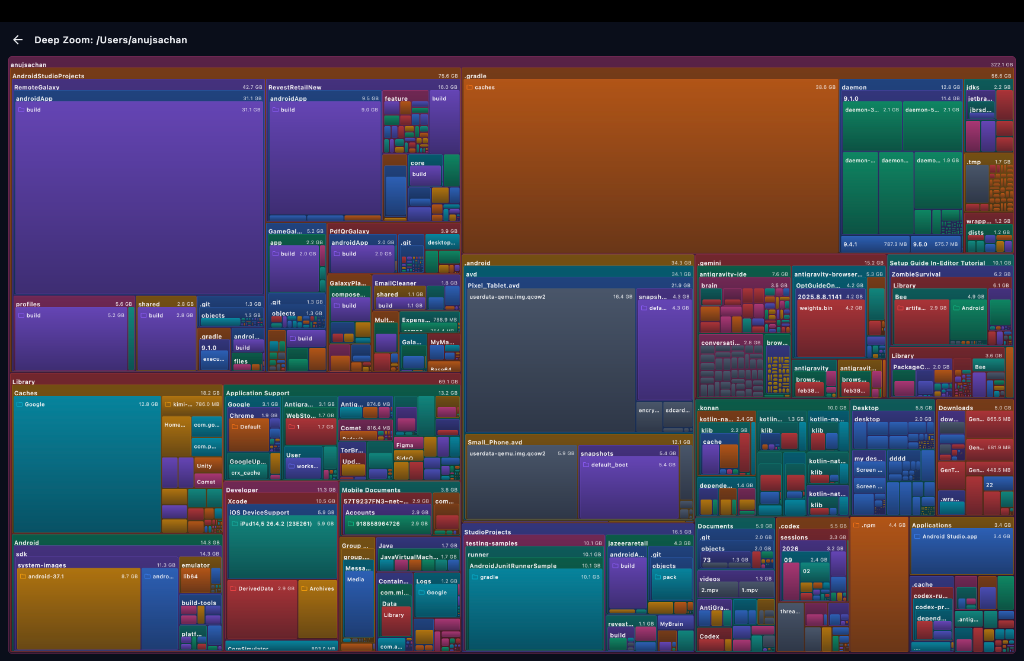
Dive into your folder structure like never before. With our full-screen Deep Zoom feature, you can navigate nested directories visually to find exactly what's consuming space.
- Visual Exploration: The UI scales and adapts as you zoom into different partitions and folders.
- Immediate Context: See exactly which sub-folders are the heaviest without clicking through Finder.
- Color-Coded Analysis: Instantly distinguish between different file types and applications.
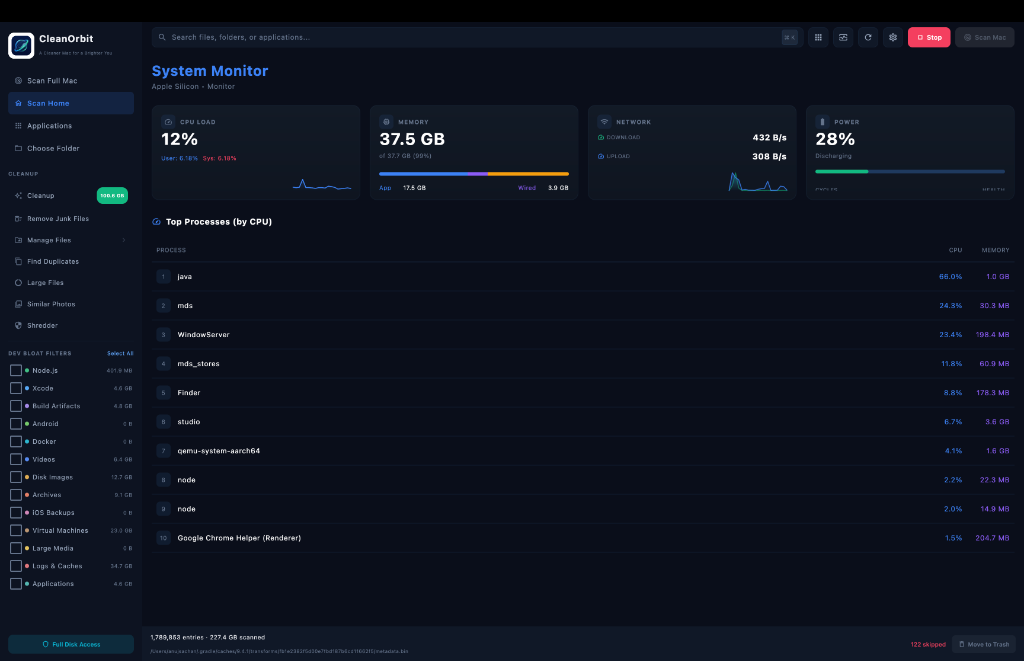
Real-Time System Monitor
Keep a close eye on your Mac's vital signs. The integrated System Monitor provides a sleek, resource-light overview of your hardware performance.
- CPU & Memory Load: Track app vs wired memory, and identify processes hogging your CPU.
- Network Speeds: Monitor live upload and download bandwidth.
- Power Diagnostics: Check battery discharging rates and health.
Frequently Asked Questions
Everything you need to know about CleanOrbit and Mac storage.
Is my data safe and private?
Absolutely. CleanOrbit is built with a privacy-first architecture. It runs 100% locally on your machine, meaning your file names, folder structures, and scan results never leave your Mac. We don't store your data, and we don't require an account.
Which version should I download?
Our app is a Universal Binary. That means a single download works natively and perfectly on both modern Apple Silicon (M1/M2/M3/M4) Macs and older Intel-based Macs. It automatically optimizes for your hardware.
What are Developer Bloat Filters?
If you're a software engineer, your Mac is likely hiding gigabytes of derived data from Xcode, Gradle caches from Android Studio, orphan Docker containers, and heavy node_modules. Our specialized filters find and safely remove this development residue.
What is 'System Data' on my Mac?
macOS groups caches, application logs, iOS backups, and temporary files into a vague 'System Data' category. CleanOrbit's Deep Treemap allows you to peer inside this category and manually clear out the hidden files you no longer need.
Ready to speed up your Mac?
Download CleanOrbit today and give your storage room to breathe.
Download CleanOrbit Now